OpenZero 5.4 Book Edition
OpenZero User Manual
Local-first sovereign AI node, Super Panel, Z-Spark draft-verify, optional Voicebox, installer, Hive privacy, offline bundle, local models, API keys, and operator workflows.
OpenZero
Local AI users, operators, developers, server owners, and privacy-focused teams
Online reader + downloadable PDF
2026-07-04
02OpenZero
How To Use This Manual
Read the first pages once, then jump to the task-specific chapters.
OpenZero User Manual is designed as an online reader and a downloadable PDF. The online reader has navigation, motion, and expandable reading rhythm. The PDF is static, readable, and suitable for forwarding or printing.
- Start with the overview and quick start.
- Use the operations chapters when doing live work.
- Use troubleshooting and FAQ before asking for support.
- Do not paste secrets, private keys, API keys, customer data, or live server logs into public channels.
03OpenZero
Source Map
The manual is based on public pages, local docs, and rollout notes.
These manuals consolidate the current public product story, live docs, release notes, and operational commands into a single readable book. They are intentionally public-safe.
- OpenZero live site: https://openzero.talktoai.org/
- OpenZero operations manual: https://openzero.talktoai.org/manual
- OpenZero install route: https://openzero.talktoai.org/install
- OpenZero offline guide: https://openzero.talktoai.org/offline-guide
- OpenZero docs: https://docs.talktoai.org/openzero/
04OpenZero
OpenZero visual map
A visual orientation page for the manual.
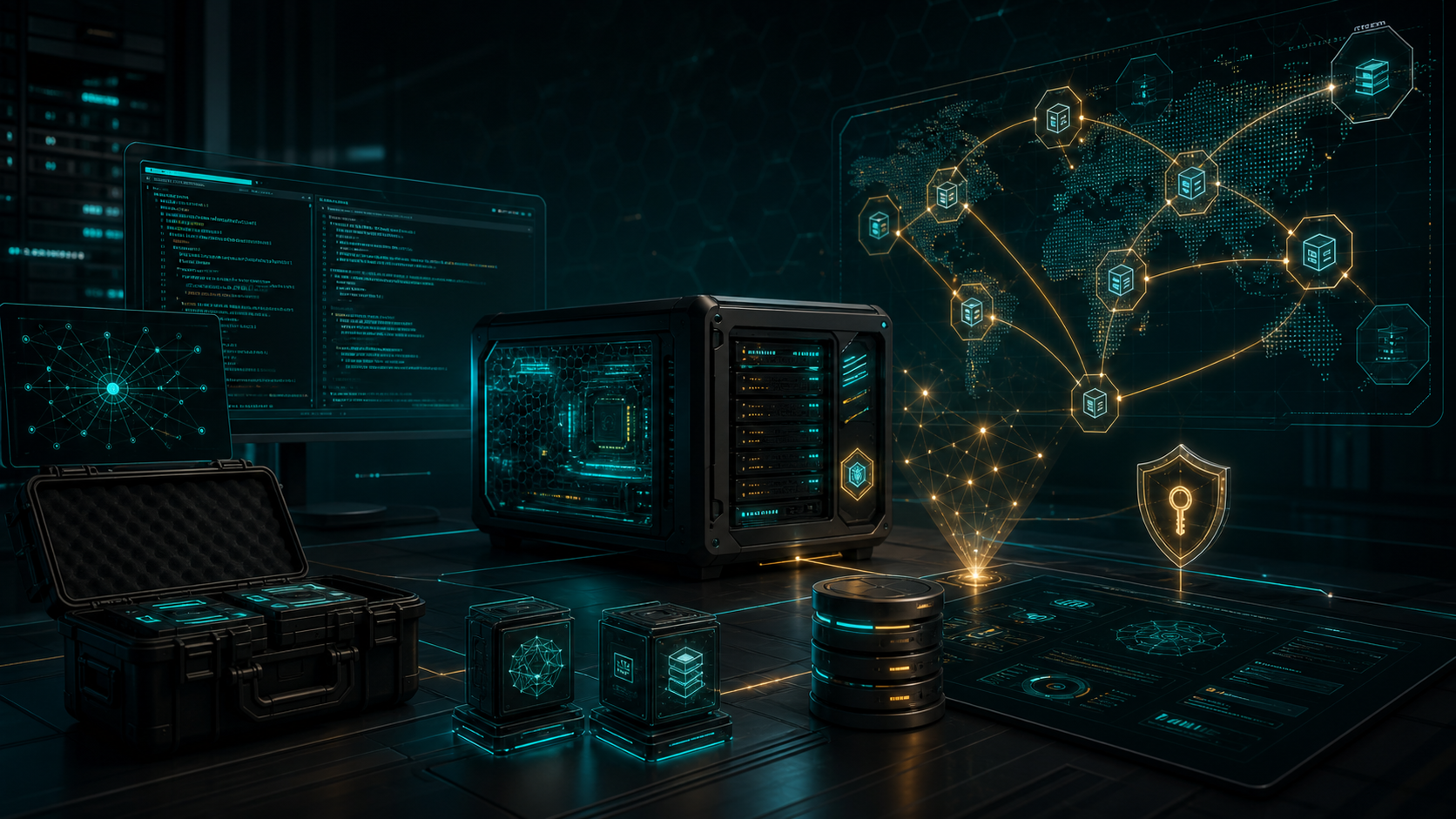
The image is not a screenshot. It is a visual map for the product: the control surface, protected assets, operating paths, and review mindset this manual teaches.
- Use the cover language as a memory aid for the product workflow.
- Return to the table of contents when the task becomes specific.
- Use commands only after reading the safety notes.
05OpenZero
Table Of Contents
44 main chapters plus appendices.
Each chapter is short enough to scan but complete enough to act on. Use the page numbers in the PDF footer or the online jump links.
- 01 / What OpenZero Is
- 02 / Cloud AI Versus Local AI
- 03 / OpenZero 5.4 Overview
- 04 / July 2026 Public Update
- 05 / Hardware Planning
- 06 / Supported Operating Modes
- 07 / Online Install Flow
- 08 / First Boot
- 09 / Super Panel
- 10 / Local Models
- 11 / Z-Spark Draft-Verify
- 12 / Ollama And Model Stores
- 13 / OpenAI-Compatible Node Keys
- 14 / ZeroThink Connection
- 15 / Hive Concept
- 16 / Hive Privacy Hotfix
- 17 / Manual Hive Sharing
- 18 / Moltbot Browser Hand
06OpenZero
Table Of Contents Continued
Later chapters cover operations, troubleshooting, support, and glossary.
The second half is built for real usage: what to check, what to avoid, and how to explain problems safely.
- 19 / Terminal Control
- 20 / Probability Of Goodness
- 21 / Watchdog
- 22 / Doctor Tool
- 23 / PM2 And Services
- 24 / Installer Dependencies
- 25 / Offline Bundle Purpose
- 26 / Build Offline Bundle
- 27 / Install Offline Target
- 28 / Offline Bundle Size Reality
- 29 / Voice Hooks
- 30 / Voicebox Option
- 31 / BitNet And Add-On Paths
- 32 / Telegram Or Remote Control
- 33 / Node Registration
- 34 / Public Monitor
- 35 / Federation And Continuity
- 36 / Security Filters
- 37 / Local State Sealing
- 38 / Troubleshooting: Panel Down
- 39 / Troubleshooting: Model Slow
- 40 / Troubleshooting: Hive Not Registering
- 41 / Troubleshooting: Offline Install
- 42 / Operator Daily Checklist
- 43 / Team Deployment Checklist
- 44 / Glossary
01Chapter
What OpenZero Is
OpenZero is the local-first sovereign AI node path. It runs on user-controlled hardware and gives the user a private machine lane instead of relying entirely on hosted AI.
OpenZero is the local-first sovereign AI node path. It runs on user-controlled hardware and gives the user a private machine lane instead of relying entirely on hosted AI.
- The model and execution layer live close to the user.
- The Super Panel provides operational visibility.
- OpenZero can connect to ZeroThink through supported node keys.
Do next- Use OpenZero when privacy, ownership, local control, and longer-term node operation matter.
02Chapter
Cloud AI Versus Local AI
Cloud AI is convenient but sends prompts to provider infrastructure. OpenZero is designed for local operation, local state, and controlled sharing.
Cloud AI is convenient but sends prompts to provider infrastructure. OpenZero is designed for local operation, local state, and controlled sharing.
- Local does not mean risk-free.
- The operator is responsible for machine security.
- Hybrid workflows can use hosted models where needed.
Do next- Use hosted providers for large models; use OpenZero for owner-controlled workflows.
03Chapter
OpenZero 5.4 Overview
OpenZero 5.4 added cleaner website routes, Hive registration, RAM-aware node profiling, voice hooks, integrity manifest support, encrypted local node-state sealing, watchdog/doctor tooling, and offline release paths.
OpenZero 5.4 added cleaner website routes, Hive registration, RAM-aware node profiling, voice hooks, integrity manifest support, encrypted local node-state sealing, watchdog/doctor tooling, and offline release paths.
- Know the version you are running.
- Keep installer and runtime files aligned.
- Use doctor/watchdog tools for self-healing direction.
Do next- After updates, verify the panel, Hive status, and node model state.
04Chapter
July 2026 Public Update
The public OpenZero material was expanded so new users can see the real capability surface: install, Super Panel, CPU-first model planning, OpenAI-compatible API, ZeroThink bridge, Z-Spark, Voicebox, Moltbot, offline bundles, releases, and public-safe security boundaries.
The public OpenZero material was expanded so new users can see the real capability surface: install, Super Panel, CPU-first model planning, OpenAI-compatible API, ZeroThink bridge, Z-Spark, Voicebox, Moltbot, offline bundles, releases, and public-safe security boundaries.
- The GitHub front page now carries more of the product story.
- Crypto/token copy was removed from public OpenZero presentation so users see the AI node and docs first.
- The changelog lives in public docs and the repo docs folder.
Do next- Start at github.com/ResearchForumOnline/OpenZero, then read the docs and manuals before installing.
05Chapter
Hardware Planning
OpenZero depends on the hardware available. RAM, CPU, disk, GPU, and model size determine what is practical.
OpenZero depends on the hardware available. RAM, CPU, disk, GPU, and model size determine what is practical.
- 16 GB RAM is a practical recommended starting point.
- Local model files should stay under 15 GB for current target machines unless hardware is known-good.
- Disk space matters for Ollama stores, offline bundles, logs, and browser dependencies.
Do next- Plan model size before downloading.
06Chapter
Supported Operating Modes
OpenZero has server, desktop, Kali, ISO, voice, and offline-aware paths in the broader release direction.
OpenZero has server, desktop, Kali, ISO, voice, and offline-aware paths in the broader release direction.
- Server mode is for always-on node operation.
- Desktop mode is more visual.
- Kali/security modes need extra caution and should not imply offensive permission.
Do next- Pick the mode based on machine purpose.
07Chapter
Online Install Flow
The public install route provides the online installer. Operators should run it on a clean supported Linux machine where possible.
The public install route provides the online installer. Operators should run it on a clean supported Linux machine where possible.
- Read the command before running it.
- Use a clean system or snapshot.
- Avoid running installers as an afterthought on critical production servers.
Do next- Command: curl -fsSL https://openzero.talktoai.org/install | bash
08Chapter
First Boot
After installation, the first boot should confirm panel access, local process health, model availability, and basic prompt response.
After installation, the first boot should confirm panel access, local process health, model availability, and basic prompt response.
- Check the panel.
- Check logs.
- Run a short test prompt.
- Confirm no secrets are being sent to public Hive.
Do next- Do not begin big tasks until the node passes basic checks.
09Chapter
Super Panel
The Super Panel is the main local control and visibility surface. It should show node health, model state, terminal/log context, and operational controls where enabled.
The Super Panel is the main local control and visibility surface. It should show node health, model state, terminal/log context, and operational controls where enabled.
- Use the panel to monitor before changing config.
- Read logs before restarting services.
- Keep the panel private unless intentionally exposed behind secure access.
Do next- If the panel fails, check local service status and logs first.
10Chapter
Local Models
Local models are the brain lane for owner-controlled inference. Smaller quantized models are often more practical than huge downloads.
Local models are the brain lane for owner-controlled inference. Smaller quantized models are often more practical than huge downloads.
- Use local models under the current 15 GB file boundary for typical target machines.
- Use hosted providers for larger models.
- Document model name, quantization, and memory needs.
Do next- Test with small prompts before relying on a model for long work.
11Chapter
Z-Spark Draft-Verify
Z-Spark is OpenZero's custom CPU-first draft/verify layer. A smaller draft model can prepare a candidate answer, OpenZero estimates confidence, and the active model verifies or rewrites before the final response returns.
Z-Spark is OpenZero's custom CPU-first draft/verify layer. A smaller draft model can prepare a candidate answer, OpenZero estimates confidence, and the active model verifies or rewrites before the final response returns.
- It is inspired by the broad DSpark-style draft, gate, verify pattern.
- It does not claim to ship official DeepSeek DSpark checkpoints or private model internals.
- On very small CPUs, draft plus verify may be slower than target-only inference, so automatic fallback matters.
Do next- Use Z-Spark when the node has a suitable draft model installed and answer discipline matters.
12Chapter
Ollama And Model Stores
OpenZero offline and local model paths can include Ollama binaries and local model stores depending on the bundle/build path.
OpenZero offline and local model paths can include Ollama binaries and local model stores depending on the bundle/build path.
- Do not duplicate giant model stores unnecessarily.
- Keep enough disk free.
- Record which model store is included in an offline artifact.
Do next- Before offline export, confirm the connected builder node has the desired local model installed.
13Chapter
OpenAI-Compatible Node Keys
OpenZero can expose a node key path for tools that speak OpenAI-compatible APIs where configured.
OpenZero can expose a node key path for tools that speak OpenAI-compatible APIs where configured.
- Keys identify usage.
- Never publish node keys.
- Rotate keys if leaked.
- Use ZeroThink bridge only through supported registered endpoints.
Do next- Test a new key with one tiny request.
14Chapter
ZeroThink Connection
ZeroThink can use OpenZero nodes where bridge support is configured. This lets a user bring local compute into the web studio.
ZeroThink can use OpenZero nodes where bridge support is configured. This lets a user bring local compute into the web studio.
- The user owns the OpenZero machine.
- ZeroThink should not accept arbitrary browser-supplied machine URLs.
- Use server-side registration and key flows.
Do next- Install OpenZero, create a node key, then add it in ZeroThink where supported.
15Chapter
Hive Concept
Hive coordination lets nodes report status and controlled public signals. It should not become surveillance.
Hive coordination lets nodes report status and controlled public signals. It should not become surveillance.
- Status can be public.
- Private chat should not be automatically published.
- Manual sharing should be deliberate and filtered.
Do next- Use Hive to prove node life, not to leak user prompts.
16Chapter
Hive Privacy Hotfix
OpenZero privacy policy changed so Hive chat sharing is manual by default. Terminal-mode exchanges are blocked from manual Hive sharing because they may include commands, paths, secrets, or system output.
OpenZero privacy policy changed so Hive chat sharing is manual by default. Terminal-mode exchanges are blocked from manual Hive sharing because they may include commands, paths, secrets, or system output.
- Public Hive search should return only accepted public data.
- Legacy prompt/answer exposure was redacted.
- Filters reject malicious patterns and sensitive content.
Do next- Never assume old public data is safe; verify monitor output.
17Chapter
Manual Hive Sharing
The local panel can support a send-last-chat-to-Hive pattern for deliberate sharing.
The local panel can support a send-last-chat-to-Hive pattern for deliberate sharing.
- Review content before sharing.
- Do not share terminal mode output.
- Do not share secrets, paths, keys, or customer data.
Do next- Share only public-safe summaries.
18Chapter
Moltbot Browser Hand
Moltbot represents the browser automation lane: navigation, screenshots, scraping, and OSINT-style observation when configured.
Moltbot represents the browser automation lane: navigation, screenshots, scraping, and OSINT-style observation when configured.
- Respect site terms and legal boundaries.
- Do not automate credential theft or abuse.
- Keep browser data private.
Do next- Use browser automation for research and verification, not harmful activity.
19Chapter
Terminal Control
Terminal control is powerful and dangerous. OpenZero can be an agent with hands, so commands require caution.
Terminal control is powerful and dangerous. OpenZero can be an agent with hands, so commands require caution.
- Read commands before running.
- Back up before destructive changes.
- Prefer read-only diagnostics first.
Do next- Use ls, status, logs, and dry-run checks before write actions.
20Chapter
Probability Of Goodness
The Probability of Goodness idea is an alignment/risk scoring direction: commands should be evaluated for safety before execution.
The Probability of Goodness idea is an alignment/risk scoring direction: commands should be evaluated for safety before execution.
- High-risk actions should ask for confirmation.
- Destructive commands should be blocked or escalated.
- Context matters.
Do next- Use human override only when you understand the command.
21Chapter
Watchdog
Watchdog tooling is for keeping the node alive and noticing failures.
Watchdog tooling is for keeping the node alive and noticing failures.
- Use it after a known-good setup.
- Do not hide repeated crashes.
- Crash loops need root-cause investigation.
Do next- Check watchdog logs after updates.
22Chapter
Doctor Tool
Doctor/self-healing tooling should inspect dependencies, service state, permissions, and common broken install points.
Doctor/self-healing tooling should inspect dependencies, service state, permissions, and common broken install points.
- Use doctor after install or after failed updates.
- Keep output private if it includes paths or system info.
- Do not paste full logs publicly.
Do next- Run doctor before asking for support.
23Chapter
PM2 And Services
OpenZero runtime may use process managers such as PM2 in deployment flows. Operators need to know restart and log patterns.
OpenZero runtime may use process managers such as PM2 in deployment flows. Operators need to know restart and log patterns.
- Restart cleanly after config changes.
- Check logs after restart.
- Do not duplicate processes.
Do next- Document the service/process manager used on your node.
24Chapter
Installer Dependencies
The runtime dependency set should stay lean: requests, colorama, Flask, Flask-SocketIO, psutil, cryptography, python-dotenv, and websockets were identified as the actual runtime set in the rollout notes.
The runtime dependency set should stay lean: requests, colorama, Flask, Flask-SocketIO, psutil, cryptography, python-dotenv, and websockets were identified as the actual runtime set in the rollout notes.
- Avoid oversized dependency lists.
- Do not install conflicting distro npm alongside NodeSource nodejs.
- Keep requirements aligned inside release zips.
Do next- Check requirements.txt before packaging.
25Chapter
Offline Bundle Purpose
The offline release path is for machines that must continue running after physical disconnection from the internet.
The offline release path is for machines that must continue running after physical disconnection from the internet.
- Build from a connected node.
- Move by trusted storage or LAN drop.
- Target needs a sane Linux base.
Do next- Do not call it offline if it still fetches packages from the internet.
26Chapter
Build Offline Bundle
The connected builder node creates a tarball that carries source, Python wheelhouse, Moltbot node_modules, Node runtime archive, PM2 package, Ollama binary, local model store, and Chrome package where available.
The connected builder node creates a tarball that carries source, Python wheelhouse, Moltbot node_modules, Node runtime archive, PM2 package, Ollama binary, local model store, and Chrome package where available.
- Build after the online node works.
- Include desired local model store.
- Archive SHA-256.
Do next- Commands: cd ~/openzero; chmod +x build_offline_release.sh; ./build_offline_release.sh
27Chapter
Install Offline Target
The offline target extracts and runs install_offline.sh. The installer treats the extracted folder as the final install directory unless a different directory is passed.
The offline target extracts and runs install_offline.sh. The installer treats the extracted folder as the final install directory unless a different directory is passed.
- Do not duplicate the giant bundle accidentally.
- Use --voice only when the voice wheel set exists.
- Verify Python, tar, and base libraries first.
Do next- Commands: tar -xzf openzero_offline_release.tar.gz; cd openzero_offline_release; chmod +x install_offline.sh; ./install_offline.sh
28Chapter
Offline Bundle Size Reality
The offline bundle can become very large once model weights are included. Earlier guidance noted 15 GB to 25 GB for large air-gap bundles, while a live bundle was also recorded around 6.6 GB.
The offline bundle can become very large once model weights are included. Earlier guidance noted 15 GB to 25 GB for large air-gap bundles, while a live bundle was also recorded around 6.6 GB.
- Size depends on included models and wheels.
- Check disk before building.
- Use SHA-256 for transfer verification.
Do next- Never assume a bundle is small enough for every VPS.
29Chapter
Voice Hooks
OpenZero 5.4 notes include voice hooks and optional offline voice wheels.
OpenZero 5.4 notes include voice hooks and optional offline voice wheels.
- Voice increases dependencies.
- Offline voice requires extra bundle material.
- Keep microphones and recordings private.
Do next- Use --with-voice only when needed.
30Chapter
Voicebox Option
OpenZero can connect to Voicebox as an optional local voice studio backend when the user installs Voicebox separately. It should be documented as optional, not bundled by default.
OpenZero can connect to Voicebox as an optional local voice studio backend when the user installs Voicebox separately. It should be documented as optional, not bundled by default.
- Piper-style lightweight speech remains the simpler fallback route.
- Voicebox can support richer local voice workflows.
- Voice routing should keep recordings, profiles, and local service details private.
Do next- Install and run Voicebox separately, then connect OpenZero only after the core node is healthy.
31Chapter
BitNet And Add-On Paths
Some OpenZero docs mention BitNet/add-on style model experimentation. Treat experimental model lanes as optional and hardware-dependent.
Some OpenZero docs mention BitNet/add-on style model experimentation. Treat experimental model lanes as optional and hardware-dependent.
- Do not make experimental lanes required.
- Label resource needs.
- Keep stable setup first.
Do next- Install optional add-ons after the core node works.
32Chapter
Telegram Or Remote Control
Some agent patterns include phone or remote control hooks. These must be secured and limited.
Some agent patterns include phone or remote control hooks. These must be secured and limited.
- Do not expose bot tokens.
- Use private chats only.
- Disable if not needed.
Do next- Treat remote controls as privileged access.
33Chapter
Node Registration
Node registration reports metadata such as node id, hostname, RAM profile, active model, node tier, paid-hive and voice flags.
Node registration reports metadata such as node id, hostname, RAM profile, active model, node tier, paid-hive and voice flags.
- Verify locally and remotely.
- Do not expose private paths or prompts.
- Use node metadata for health, not surveillance.
Do next- Check local /api/hive/status and remote status where configured.
34Chapter
Public Monitor
The public Hive monitor should show safe node/capability status and privacy counters, not private prompts or answers.
The public Hive monitor should show safe node/capability status and privacy counters, not private prompts or answers.
- No prompt previews.
- No answer previews.
- No wallet or seed strings.
- No terminal output.
Do next- Audit monitor output after any schema or frontend change.
35Chapter
Federation And Continuity
Federation mode adds Hive HQ plus backup mirrors and local continuity spool so nodes can survive operator/database loss.
Federation mode adds Hive HQ plus backup mirrors and local continuity spool so nodes can survive operator/database loss.
- Design for outage.
- Do not assume one database is permanent.
- Spool locally when remote is down.
Do next- Test what happens when Hive is unreachable.
36Chapter
Security Filters
Server-side Hive filters reject script injection, destructive command, reverse shell, credential theft, and crypto-wallet theft patterns.
Server-side Hive filters reject script injection, destructive command, reverse shell, credential theft, and crypto-wallet theft patterns.
- Filters help but do not replace review.
- Keep rate limits.
- Reject known harmful patterns.
Do next- Update filters when new abuse patterns appear.
37Chapter
Local State Sealing
Encrypted local node-state sealing protects local identity/state material where configured.
Encrypted local node-state sealing protects local identity/state material where configured.
- Protect key material.
- Back up recovery material securely.
- Do not copy sealed state into public repos.
Do next- Document how to recover before a disk migration.
38Chapter
Troubleshooting: Panel Down
If the panel is down, check process manager, Python environment, port, logs, and recent updates.
If the panel is down, check process manager, Python environment, port, logs, and recent updates.
- Do not reinstall immediately.
- Check whether the service is running.
- Check whether a port conflict exists.
Do next- Use doctor/watchdog outputs for first diagnosis.
39Chapter
Troubleshooting: Model Slow
Slow local models usually mean hardware limits, model too large, context too high, or disk/memory pressure.
Slow local models usually mean hardware limits, model too large, context too high, or disk/memory pressure.
- Use smaller quantization.
- Reduce context.
- Close competing processes.
- Use hosted provider for heavy work.
Do next- Check RAM while running a prompt.
40Chapter
Troubleshooting: Hive Not Registering
Hive registration can fail from endpoint, key, network, CORS, database, or stale config issues.
Hive registration can fail from endpoint, key, network, CORS, database, or stale config issues.
- Confirm endpoint.
- Restart cleanly.
- Check local and remote status.
- Check HIVE_MIND_ENABLED.
Do next- Use status URLs before editing database code.
41Chapter
Troubleshooting: Offline Install
Offline install fails when base system requirements are missing, archive is corrupt, permissions are wrong, or the bundle was built without needed wheels/models.
Offline install fails when base system requirements are missing, archive is corrupt, permissions are wrong, or the bundle was built without needed wheels/models.
- Verify SHA-256.
- Check permissions.
- Check Python/tar/system libraries.
- Rebuild if wheelhouse is incomplete.
Do next- Do not expect offline installer to fetch internet packages.
42Chapter
Operator Daily Checklist
A working OpenZero node needs health, privacy, model, log, disk, and update checks.
A working OpenZero node needs health, privacy, model, log, disk, and update checks.
- Panel loads.
- Model responds.
- Hive shows safe status.
- Logs have no secret leaks.
- Disk has room.
Do next- Run a short test after every update.
43Chapter
Team Deployment Checklist
Teams should standardize node names, key owners, model policy, backup schedule, and update windows.
Teams should standardize node names, key owners, model policy, backup schedule, and update windows.
- Use named owners.
- Keep key rotation procedure.
- Keep offline bundle hashes.
Do next- Document every machine before scaling.
44Chapter
Glossary
OpenZero terms map to operations: node is the machine, Super Panel is local control, Hive is coordination, Moltbot is browser hand, offline bundle is air-gap deployment, node key is API access.
OpenZero terms map to operations: node is the machine, Super Panel is local control, Hive is coordination, Moltbot is browser hand, offline bundle is air-gap deployment, node key is API access.
- Use these definitions in support.
- Do not mix OpenZero and ZeroThink identities.
- Keep public terms stable.
Do next- Send new operators to this manual first.
51OpenZero
Command And URL Appendix
Use these only in the right context.
Commands and URLs are repeated here so operators can find them quickly. Read the chapter before running commands on production systems.
- Install online: curl -fsSL https://openzero.talktoai.org/install | bash
- Build offline bundle: cd ~/openzero && chmod +x build_offline_release.sh && ./build_offline_release.sh
- Install offline: tar -xzf openzero_offline_release.tar.gz && cd openzero_offline_release && chmod +x install_offline.sh && ./install_offline.sh
52OpenZero
Safe Operations Checklist
Run this before serious changes.
A manual is only useful when it changes behavior. This checklist is the calm-before-action page for live work.
- Confirm the exact account, server, domain, or project.
- Back up before destructive or live changes.
- Use read-only checks before write actions.
- Keep keys and secrets out of prompts, screenshots, and PDFs.
- Verify the result in a browser and with a direct HTTP or command-line check.
- Record what changed and how to roll it back.
53OpenZero
Questions And Answers
Fast answers for the most common manual questions.
These answers are intentionally short. Use the chapter pages for operational detail.
- Is OpenZero cloud AI? — No. It is a local-first node path, although it can connect to hosted services where configured.
- What hardware do I need? — 16 GB RAM is a practical starting point. Local model size should stay under the current 15 GB rule unless hardware is known-good.
- What is Z-Spark? — Z-Spark is OpenZero's custom draft/verify lane for compatible local nodes. It can improve answer discipline when a small draft model is available and falls back when it is not.
- Is Voicebox bundled? — No. Voicebox is optional and installed separately. OpenZero can connect to it when it is running locally.
- Does Hive publish my private chat? — It should not. Manual sharing is the safe policy, and terminal-mode content should not be shared.
- Can OpenZero run offline? — Yes, through the offline bundle path built from a connected working node.
- Can ZeroThink use my OpenZero node? — Where enabled, create a node key and connect through the supported ZeroThink bridge flow.
54OpenZero
Next Best Step
Do the smallest useful next action.
OpenZero becomes easier when the next action is explicit. Pick the task, read the matching chapter, run a tiny verification, then scale up only after the first result works.
- New user: read overview, quick start, and glossary.
- Operator: read install, security, backup, and troubleshooting chapters.
- Reviewer: read source map, boundaries, and proof links.
- Team: standardize keys, templates, support notes, and update windows.